
Download without watermark
Save the best available video quality with progress and automatic fallback.
Save videos in the best available quality and export comments to CSV, directly from your browser.
TikTok + Douyin • No account required • Local downloads
The extension finds the current video, selects the strongest available source, and falls back automatically when needed.
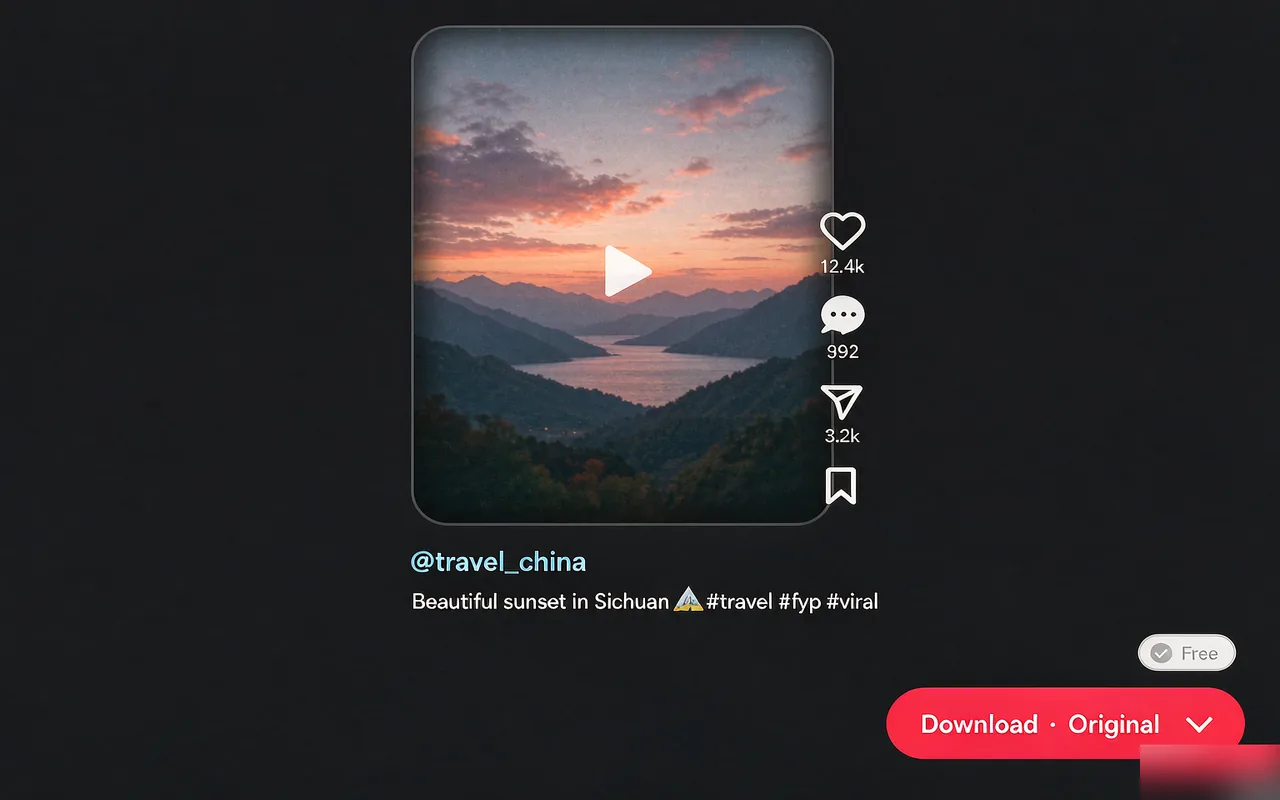
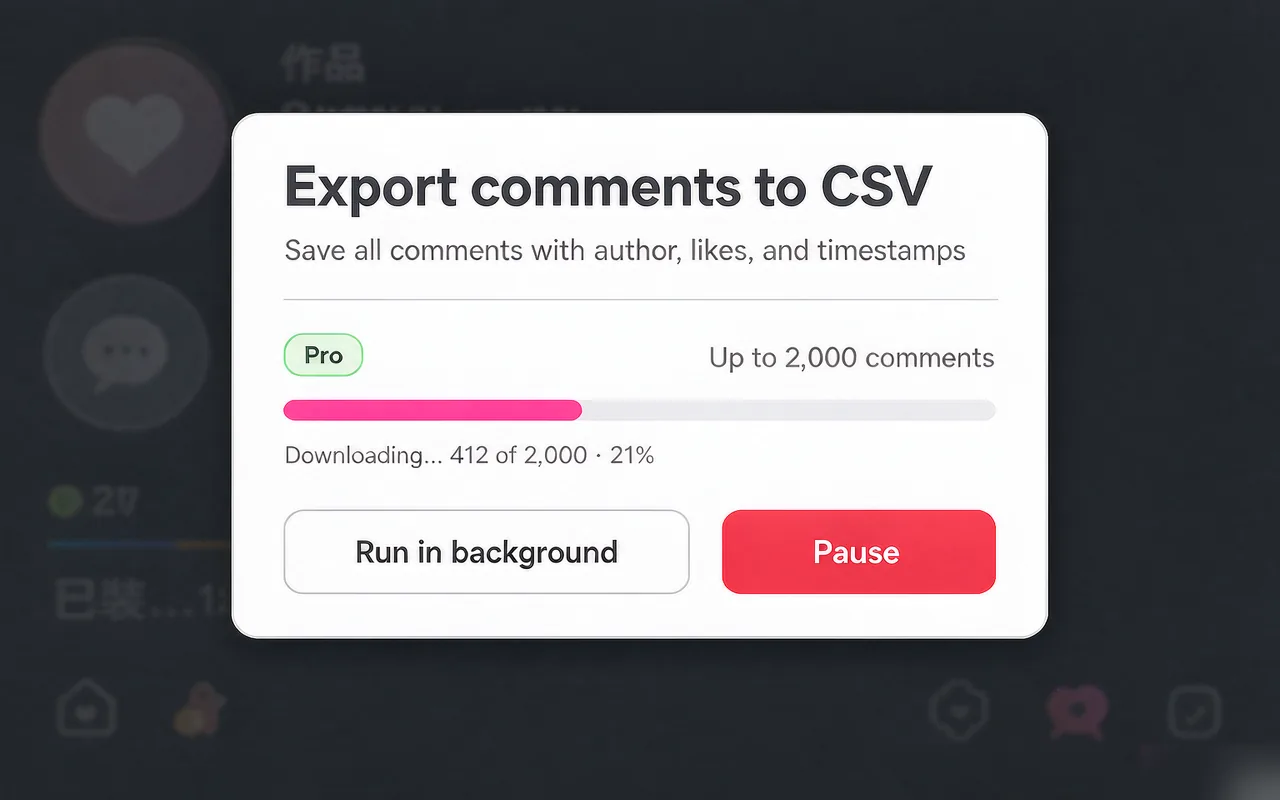
Save the best available video quality with progress and automatic fallback.
Works on supported video pages and recommendation feeds on both platforms.
Export comments and replies to a structured CSV file saved on your device.
Short how-to articles for the two most common workflows: download videos and export comments to CSV.
The extension just shipped on the Chrome Web Store. We don't write fake reviews — here's the actual state, plus two ways to share your own feedback.
Early signal: a single Chrome Web Store rating is currently in. That's the data we report — nothing more, nothing less.
Be the first to leave a text review.
Your honest experience — good or bad — helps the next visitor decide. No incentives, no cherry-picking.
Prefer to write to the developer?
Bug reports, feature requests, and detailed feedback go straight to the maintainer.
The extension is built so the safe path is the only path. Here's exactly how your data stays yours.
Videos and CSV exports are processed in your browser and saved straight to your device. Nothing touches our servers.
Comment text, account cookies, and authentication tokens are never read into any analytics or diagnostic payload.
Bug reports only send a page link after you confirm. No auto-uploads. No silent telemetry.
Anonymous reliability events only. No ad networks, no cross-site tracking, no sale of usage data.
Install once, open a supported video, then download or export comments in a few clicks.
Add the extension to Chrome or Microsoft Edge. No account or additional software is required.
Add to Chrome Add to Microsoft EdgeUse a video detail page or supported recommendation feed and wait for the controls to appear.
Choose the watermark-free download button or export comments and replies to CSV.
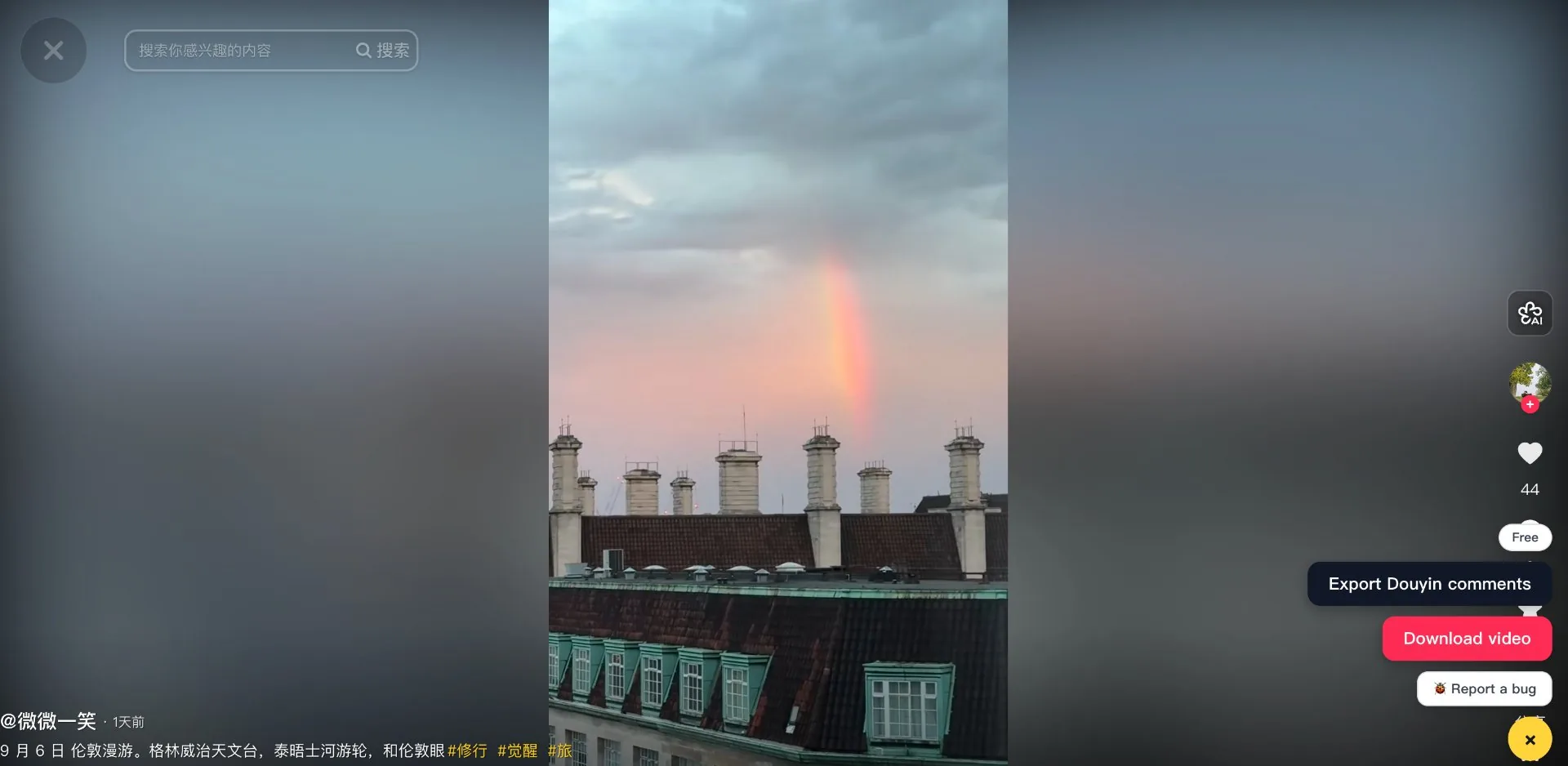
Three buttons get injected into the page — nothing else is added.
Watch the 2-minute walkthrough.
See the three injected buttons in action on a real Douyin video page — including how the watermark-free download picks the strongest available source automatically.
The short answers. For the full picture, read the privacy policy.
No. Videos and CSV exports are processed in your browser and saved directly to your device. The extension never sends downloaded files to any server.
No. The extension does not request your login, cookies, or account credentials. It only reads the public page content that TikTok or Douyin already shows you in the browser.
Yes. License activation uses HTTPS to Dodo Payments' license API. The key, a randomly generated device label, and the license instance ID are stored locally in your browser and never sent anywhere else.
TikTok (tiktok.com) and Douyin (douyin.com) video detail pages and supported recommendation feeds. Other ByteDance products (such as CapCut or Lark) are not currently supported.
Right-click the extension icon in Chrome and choose "Remove from Chrome". Chrome clears the extension's local storage during the standard uninstall flow. No account deletion is required.
Try the complete workflow first, then unlock higher quality and unlimited use with a Pro license.
For trying video downloads and comment exports.
One-time payment. No subscription, no renewal.
Payments and license management are provided by Dodo Payments. See our privacy policy for details.
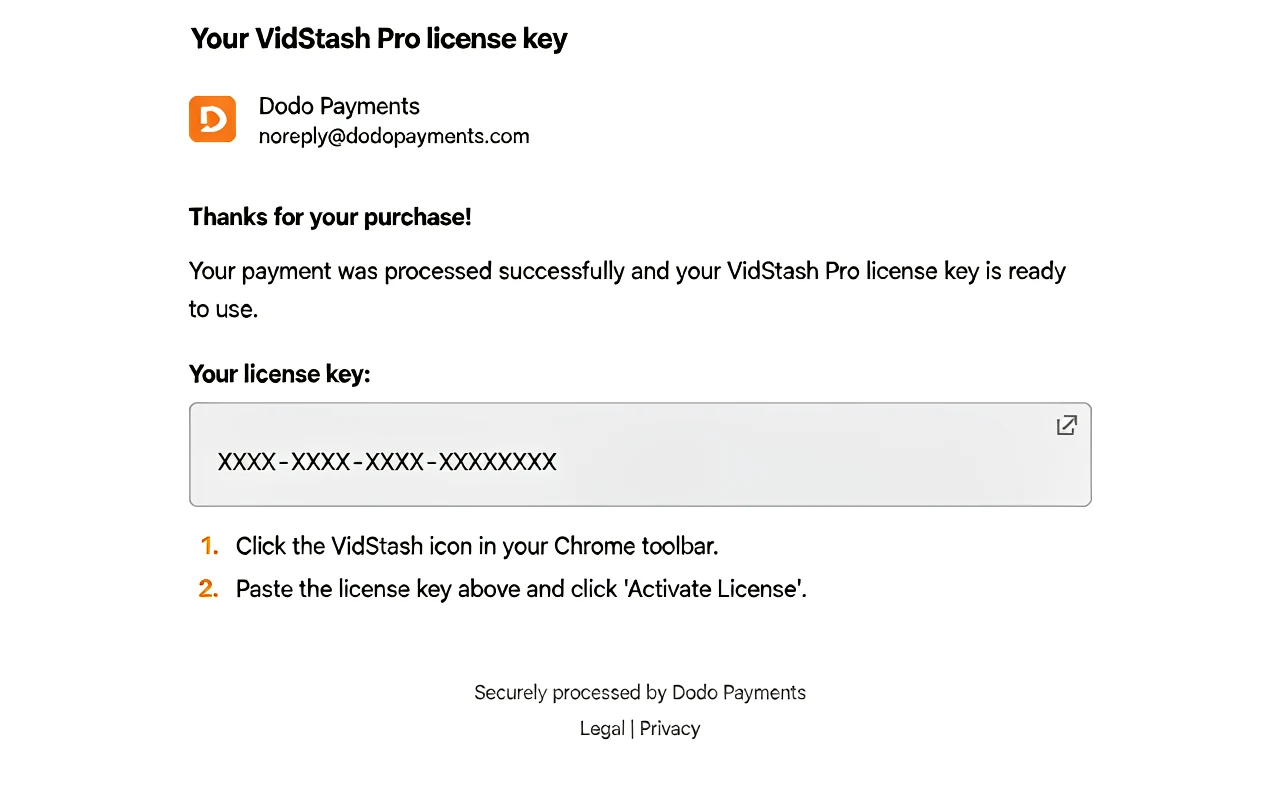
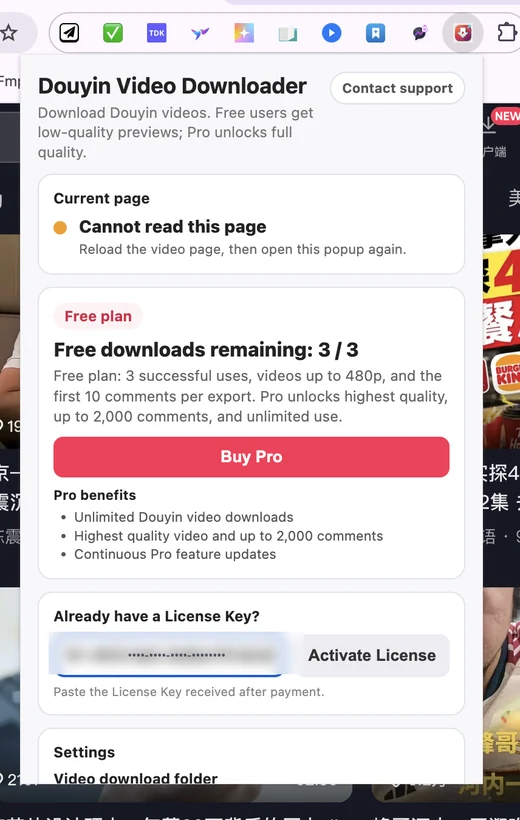
Purchase once, get your license key by email, then paste it into the extension.
Click Get Pro on the pricing page to open the secure Dodo Payments checkout.
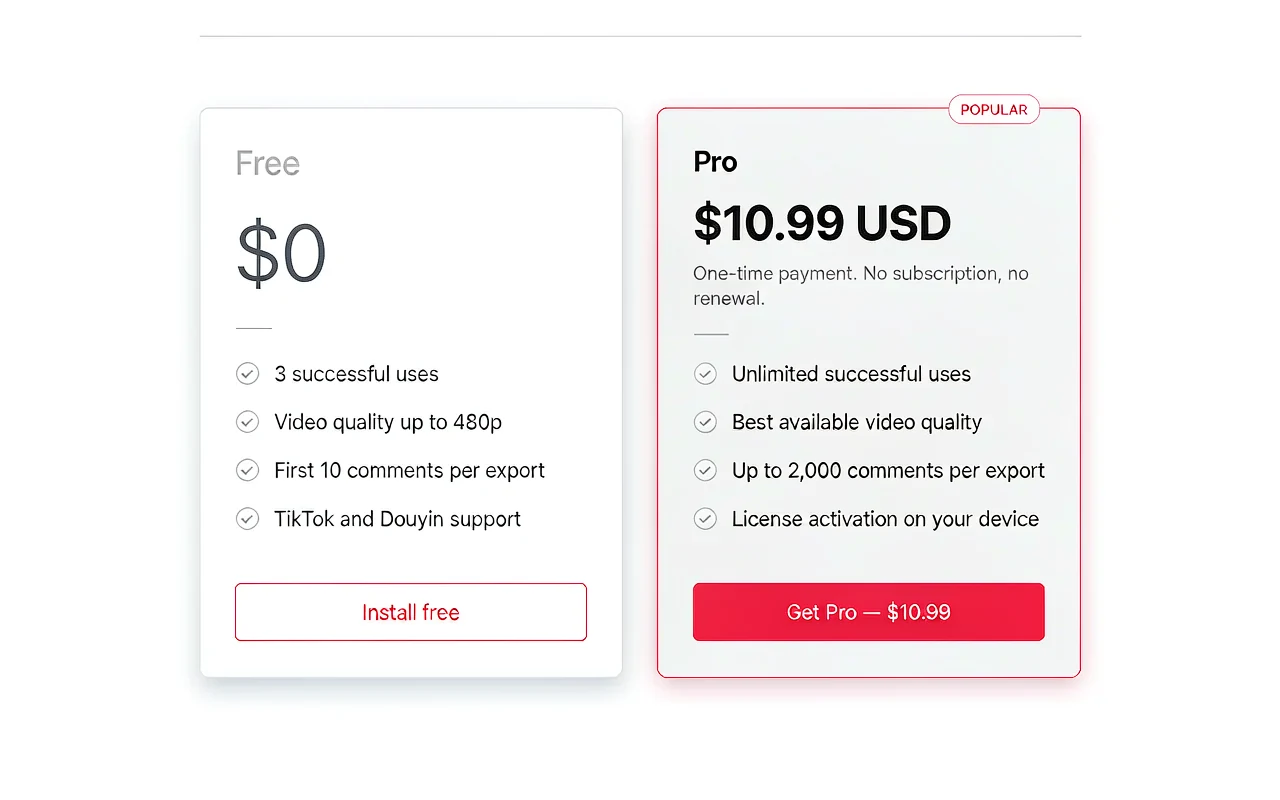
Complete payment with your card. Dodo Payments handles billing — no subscription, no renewal.
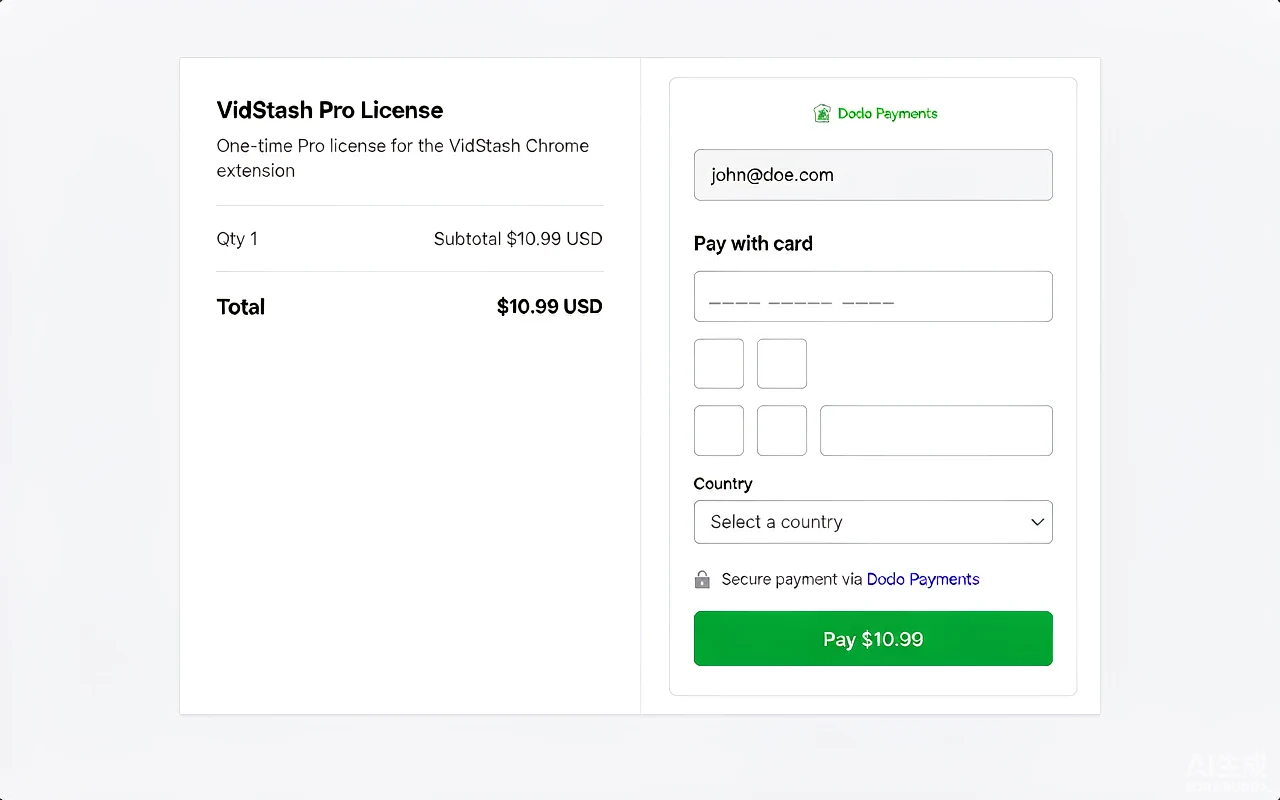
Your license key arrives in your inbox from Dodo Payments right after the payment succeeds.
Click the VidStash icon in Chrome, paste the key, and tap Activate License.
No upload, no tracking, no exceptions. Videos and CSV exports never leave your browser.
Install once. Download in a click.
 Add to Chrome
 Add to Microsoft Edge